
 Rilasciato l'aggiornamento alla versione 160.0 del noto browser Firefox.
A questo link sono pubblicate le note di rilascio di questa nuova versione con l'elenco di tutte le novità, in particolare:
Nuovo
-
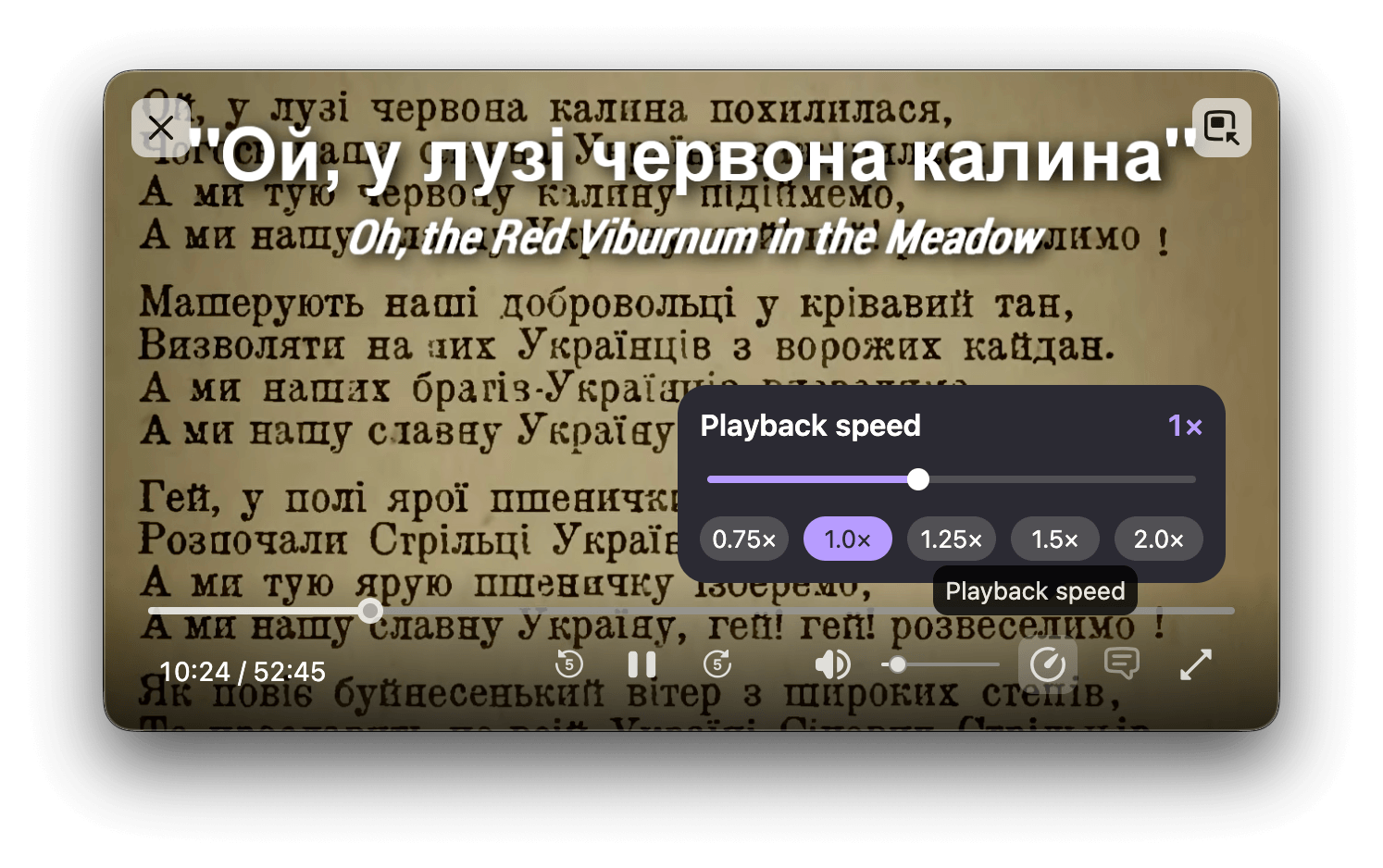
The Picture-in-Picture player now has a playback speed setting, with options ranging from 0.25x to 2.0x speed. The setting appears only when the player window is medium-sized or larger.
-
WebGL content on macOS is now rendered using Apple's Metal graphics API, which can improve performance on some sites.
-
In Smart Window, Organize Tabs is now available in French. Firefox can suggest groups of related open tabs and name each group in the language of your tabs.

This feature is part of a progressive roll out.
What is a progressive roll out?
Certain new Firefox features are released gradually. This means some users will see the feature before everyone does. This approach helps to get early feedback to catch bugs and improve behavior quickly, meaning more Firefox users overall have a better experience.
-
Added a new playback speed setting to the Picture-in-Picture player, with options ranging from 0.25x to 2.0x speed. Please note that the setting is only visible on medium or larger player windows.
-
You can now drag history entries from the sidebar to the tab strip to open them in new tabs.
-
The address bar context menu now shows "Paste and Search" instead of "Paste and Go" when the copied text is a search term rather than a web address.
-
PDFs created when saving a page as PDF now include MathML content that is accessible to assistive technology such as screen readers.
-
Websites that repeatedly ask to open email (mailto:) and other links in a web apps can now be blocked with a new “Never allow” button, and blocked sites can be managed in Settings.
-
Mini Window lets you move a tab or a selected part of a page into an always-on-top window while you browse. We’d appreciate your feedback on Mozilla Connect as we develop and improve this early version of the feature.
-
On Firefox for Android, Local Network Access restrictions are now enabled by default. Firefox now requires websites to request your permission before connecting to devices on your local network or to apps and services on your device.
-
Firefox now plays Matroska (MKV) files with FLAC, MP3, or PCM audio.
-
Fixed the first character typed into the address bar or search bar sometimes being lost when typing quickly right after clicking into it.
-
Fixed Firefox freezing for several seconds when signing in to intranet sites that use NTLM or Kerberos (Negotiate) authentication.
-
Fixed downloaded files on macOS sometimes opening in the wrong application instead of the default one set in Finder.
-
Fixed links opened in the background from other apps on macOS, such as RSS readers, bringing Firefox to the foreground.
-
Fixed situations where only the first of several simultaneous downloads showed a save dialog on macOS when Firefox is set to ask where to save files, and only downloaded the first file.
-
On Firefox for Android, web addresses containing non-Latin characters are now shown in readable form in the address bar and elsewhere in the app, instead of as encoded text.
-
On Firefox for Android, fixed web addresses containing spaces, such as those from scanned QR codes, being searched for instead of opened.
-
On Firefox for Android, fixed the touch actions near the cursor position in a text field, including double-tapping and long-tapping to select a word, and single-tapping to place the cursor.
-
Restored meaningful filenames and the usual save workflow for PDFs opened in Preview from the macOS print dialog.
-
Increased the contrast between the domain name and the rest of the address in the address bar, making it easier to understand which website you're viewing.
-
The recognition side of the Web Speech API is now implemented, performing on-device real-time Speech-to-text in 40 languages
-
Firefox now supports the legacy
::-webkit-input-placeholderpseudo-element as an alias of::placeholder, to improve compatibility with websites that use it to style placeholder text.
Risolto
Modificato
Sviluppatori
Web Platform
A questo link è pubblicato l'elenco di tutti i bugfix.
Link diretto per il download di Firefox versione 160.0 per Windows e di Firefox versione 160.0 per Windows a 64 bit in italiano (Richiede un PC con Windows 10 o versioni superiori, processore Pentium 4 o superiore con supporto SSE2, 512MB di RAM / 2GB di RAM per la versione a 64 bit e 200MB di spazio libero su disco rigido)
Link diretto per il download di Firefox versione 160.0 per Macintosh in italiano (Richiede macOS 10.15 o versioni superiori, processore Intel x86 o Apple silicon, 512 MB di RAM e 200 MB di spazio libero su disco rigido)
Link diretto per il download di Firefox versione 160.0 per Linux a 64 bit in italiano (Sono richieste le seguenti librerie o pacchetti: GTK+ 3.14, X.Org 1.0 [raccomandata 1.7], libstdc++ 4.8.1, glibc 2.17 o versioni superiori, Si raccomandano, inoltre, le seguenti librerie o pacchetti: NetworkManager 0.7, DBus 1.0, GNOME 2.16 o versioni superiori, PulseAudio)

Nessun commento:
Posta un commento