lunedì 28 ottobre 2013

Interactive InDesign CC: Bridging the Gap between Print and Digital Publishing

Interactive InDesign CC: Bridging the Gap between Print and Digital Publishing
Contenuto del volume:

With a growing focus on digital destinations, the publishing landscape is evolving at a dizzying speed and InDesign CC is at the forefront of the digital frontier. Known as the premiere layout application for magazine and print collateral, InDesign is also a powerful creation tool for both static and interactive PDF, Flash SWF, EPUB, and apps that can be publoished for sale in various app stores.

This tutorial-based guide to InDesign CC provides you with a hands-on expereince of the EPUB creation process, InDesign animation, Digital Publishing Suite app creatoin, creation of interactive PDFs, and a host of techniques that serve equally well in both print and digital production.

This extensively detailed book is filled with over 700 screenshots, explicit diagrams, and step-by-step real-wolrd exercies to get you up and running with:
  • InDesign Animation
  • Buttons, forms, and other interactive elements
  • Interactive PDFs
  • EPUB
  • App building with DPS
  • The fundamentals of HTML, CSS, and GREP
  • A treasure trove of trips and techniques that will forever transform your work with InDesign.

Per maggiori informazioni: il volume "Interactive InDesign CC: Bridging the Gap between Print and Digital Publishing" di Mira Rubin, edito da Focal Press, è in vendita anche su IBS.it al prezzo di Euro 37,76 e come eBook in formato Kindle su Amazon.it al prezzo di Euro 28,96 e su iBookstore per iPhone, iPod touch, iPad e Mac al prezzo di Euro 33,99.

OS X Mavericks All-in-One For Dummies

OS X Mavericks All-in-One For Dummies
Contenuto del volume:

Your all-in-one guide to all things OS X Mavericks

This fun and friendly For Dummies guide is your ticket to taking advantage of all the features of Apple’s latest desktop operating system – OS X Mavericks. You’ll get to know OS X, customize Mavericks for your needs, become more productive, and take your system to a whole new level with eight minibooks dedicated to OS X essentials. Plus, you’ll learn how to keep your system safe, stay connected on the go, turn your Mac into a multimedia hub, and make your Mac happy with the over 200 new features found in OS X Mavericks.
  • Includes eight minibooks: Introducing OS X, Customizing and Sharing, the Digital Hub, Using iWork, the Typical Internet Stuff, Networking in OS X, Expanding Your System, and Advanced OS X
  • Covers new-to-OS X tools and features including iBooks, Maps, iCloud Keychain, Finder Tabs, and Tags plus the streamlined Calendar, Notifications, and Safari applications
  • Shows you how to navigate around the desktop with Launchpad and Mission Control, build the Finder of your dreams, and sync your important stuff with iCloud
  • Walks you through the fun stuff, too, including editing images in iPhoto, trying out your cinema skills with iMovie, rockin' out with GarageBand and iTunes, becoming a gaming guru, video-chatting with FaceTime, surfing the web with Safari, and more

Whether you want to test the OS X waters or just dive right in, OS X Mavericks All-in-One For Dummies is here to help guide your way.

Per maggiori informazioni: il volume "OS X Mavericks All-in-One For Dummies" di Mark L. Chambers, edito da For Dummies, è in vendita anche su IBS.it al prezzo di Euro 23,25 e come eBook in formato Kindle su Amazon.it al prezzo di Euro 20,19 e su iBookstore per iPhone, iPod touch, iPad e Mac al prezzo di Euro 20,99.

Word Made Easy: Creating Hyperlinks, Bookmarks & Table of Contents

Word Made Easy: Creating Hyperlinks, Bookmarks & Table of Contents
Contenuto dell'eBook:

This Book will walk you thru creating a Table of Contents, adding Hyperlinks and inserting Bookmarks.

Per maggiori informazioni: l'eBook "Word Made Easy: Creating Hyperlinks, Bookmarks & Table of Contents" di James Woodfield, edito da Woodfield Books, è in vendita in formato Kindle su Amazon.it al prezzo di Euro 2,68.

iPad mini Guide

iPad mini Guide
Contenuto dell'eBook:

iPad mini is an amazing device. It's packed with the same advanced technology found in iPad Air, but small enough to hold in one hand. This eBook, written by best-selling author T A Rudderham and brought to you by the expert team at iOS Guides, reveals everything you need to know about iPad mini and iOS 7.

Suitable for both beginners and intermediate users alike, iPad mini Guide is packed with high-resolution images and written with clear, concise text. Split into five chapters, the book covers basics from talking to Siri and setting up email accounts, to advanced tuition including splitting the keyboard in two and editing photos.
  • Chapter 1: Getting Started
  • Chapter 2: Apps
  • Chapter 3: Get Social
  • Chapter 4: Settings
  • Chapter 5: Advanced Tips

Download this eBook today to learn everything you need to know about iPad mini.

Per maggiori informazioni: l'eBook "iPad mini Guide" di T A Rudderham, edito da iOS Guides, è in vendita in formato Kindle su Amazon.it al prezzo di Euro 4,62.

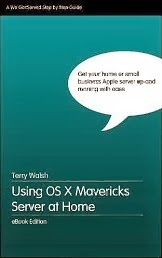
Using OS X Mavericks Server at Home

Using OS X Mavericks Server at Home
Contenuto dell'eBook:

Fully revised and updated for the release of Apple's latest operating system, Using OS X Mavericks Server at Home is We Got Served's essential guide to getting the most out of the server platform - in the home or in a small business environment.

Available on PDF, ePub and Mobi formats to support a wide range of devices, this 400+ page eBook is fully illustrated with hundreds of colour screenshots to guide you step by step as you get up and running with OS X Mavericks Server - choosing the right hardware, installing the latest release of OS X, upgrading the software to use the Server app and finally configuring OS X Mavericks Server for your needs.

Written in straightforward language for everyday users and those new to OS X, this comprehensive guide ensures you can get the most out of OS X Mavericks Server in the home by walking you through the product's essential features.

Learn about file and folder sharing with Macs, PCs and mobile devices, setting up shared family calendars and contacts, remote access, data backup, media streaming, serving software updates to your Mac clients, running your own Mail server at home, managing iPhones and iPads and a whole lot more.

For those more experienced with OS X Server, the eBook runs you through updates from OS X Mountain Lion with enhancements to OS X File Sharing, Caching Service and Profile Manager.

If you're new to OS X Server or simply upgrading from the last release, you'll find Using OS X Mavericks Server at Home an indispensable guide to getting started and doing more with Apple's latest server release.

domenica 27 ottobre 2013

The Practical Guide To Connecting A Smart TV To Home Network & Internet Content

The Practical Guide To Connecting A Smart TV To Home Network & Internet Content
Contenuto dell'eBook:

Back Cover Publisher Description

The main change in the expected functionality of the traditional television set, or ‘Dumb’ TV, in the last few years is the ability to do rather more than just watch scheduled television programmes. A ‘Smart TV’ is a TV set which has ‘integrated network connectivity’, it can ‘see’ the home network, and through it is connected to the internet.

Consumers purchase Smart TVs wanting the ‘Smart TV Experience’, but are having difficulties when it comes to connecting their Smart TVs to their home networks in such a way as to take full advantage of everything a Smart TV can deliver. This eBook was written for the average Smart TV consumer that has, until now, been unable to secure that essential Smart TV connectivity and through it the full ‘Smart TV Experience’ of a ‘connected home.’

A ‘connected’ Smart TV will put access to internet content from the comfort of your favourite chair or couch at your fingertips, controlled by an Android Smart Phone / Tablet device, be it social-networking sites such as Facebook, video-streaming services like YouTube, photo storage sites including Picasa and Flickr, or on-demand news, weather, sports scores, stock quotes and other personalised information.

Increase the number of internet channels accessible to any Smart TV, add ABC News, Animal Planet, BREAK: Funny Videos Daily, CNN International, CollegeHumor Originals, Discovery Channel, ELLO, Hollywood TV - Celebrity Breaking News, MetallicaTV, MIND-BLOWING 1 Minute Facts!, New episode every TUES & FRI., Popstar! Magazine, Popular on YouTube, REUTERS, SHOWTIME, Simon's Cat, Team Coco, The Ellen DeGeneres Show, The Official Madonna YouTube Channel, VEVO and the VideoBashComedy's channel.

This eBook is highly graphical in nature in order to minimise the amount of text the reader is presented with, this is reflected in the high page count and larger than usual file size of the eBook, it moves very quickly after a little reading into ‘hands-on’ practical demonstrations.

No advanced technical aspects of the underlying networking technology are discussed. No prior knowledge or advanced technical skills are required to achieve the final result. The reader is not required to understand, and will not be presented with, any technical details of the networking techniques used.

There are two essential features common to all Smart TVs’, the ability to access additional media content from other networked devices in the home via the home network and on-line content via the Internet, otherwise described as media file 'streaming'.

Concise text and illustrated full-colour descriptions are used to introduce the basic principles media file 'streaming'.
Step-by-step full-colour screenshots demonstrate the downloading, installing and use of all the required DLNA/uPnP compliant software used for 'streaming' digital media content, all of which is completely free and fully functioning, unless described otherwise.

This eBook provides all the practical instructions that you will need to access to additional on-line media content and make full use of the ‘streaming’ functionality of your Smart TV, enabling you, to reliably ‘stream’ videos, movies, music and pictures to your Smart TV using a DLNA / uPnP compliant media server application and an Android based Smart Phone / Tablet.

In order to ensure the accuracy and quality of the content of its' publications, it is the policy of a2d Studio Products to apply any updates and corrections to it's publications it sees fit at any time after the publication date, this eBook underwent such updates and corrections on 26th October 2013, purchasers are advised to check periodically for the application of such future updates and corrections to this publication.

Per maggiori informazioni: l'eBook "The Practical Guide To Connecting A Smart TV To Home Network & Internet Content" di P. Calder-Marshall e K. Calder-Marshall, edito da a2d Studio Products, è in vendita in formato Kindle su Amazon.it al prezzo di Euro 4,46.

COMPUTER MANUAL 2014- SHORT AND IN PLAIN, SIMPLE LANGUAGE (English and Spanish) FOR EVERYONE

COMPUTER MANUAL 2014- SHORT AND IN PLAIN, SIMPLE LANGUAGE (English and Spanish) FOR EVERYONE
Contenuto dell'eBook:

Written in both English and Spanish. THIS MANUAL IS BEING SOLD AT THE LOWEST PRICE THAT AMAZON ALLOWS.

EVERY COMPUTER SHOULD COME WITH THIS SIMPLE MANUAL (IN SIMPLE LANGUAGE) OF IMPORTANT TIPS TO KEEP THE MACHINE RUNNING SMOOTHER, LASTING LONGER, AND SAVING YOU MONEY. This short manual, and it is SHORT BUT SWEET, in both English and Spanish, is written in simple language so that everyone, novice and experienced users, can benefit. The topics covered are: Purchasing, making Windows 8 easier, avoiding viruses, identity theft, and other bad things, saving your hard drive, maximizing performance, speeding up your computer, free word processing and spreadsheet, and other tips.

Per maggiori informazioni: l'eBook "COMPUTER MANUAL 2014- SHORT AND IN PLAIN, SIMPLE LANGUAGE (English and Spanish) FOR EVERYONE" di Sam Yulish è in vendita in formato Kindle su Amazon.it al prezzo di Euro 0,89.